FRONTLINES Roblox FRONTLINES Guides
Deep tutorials for new operators and veterans who want cleaner gunfights.
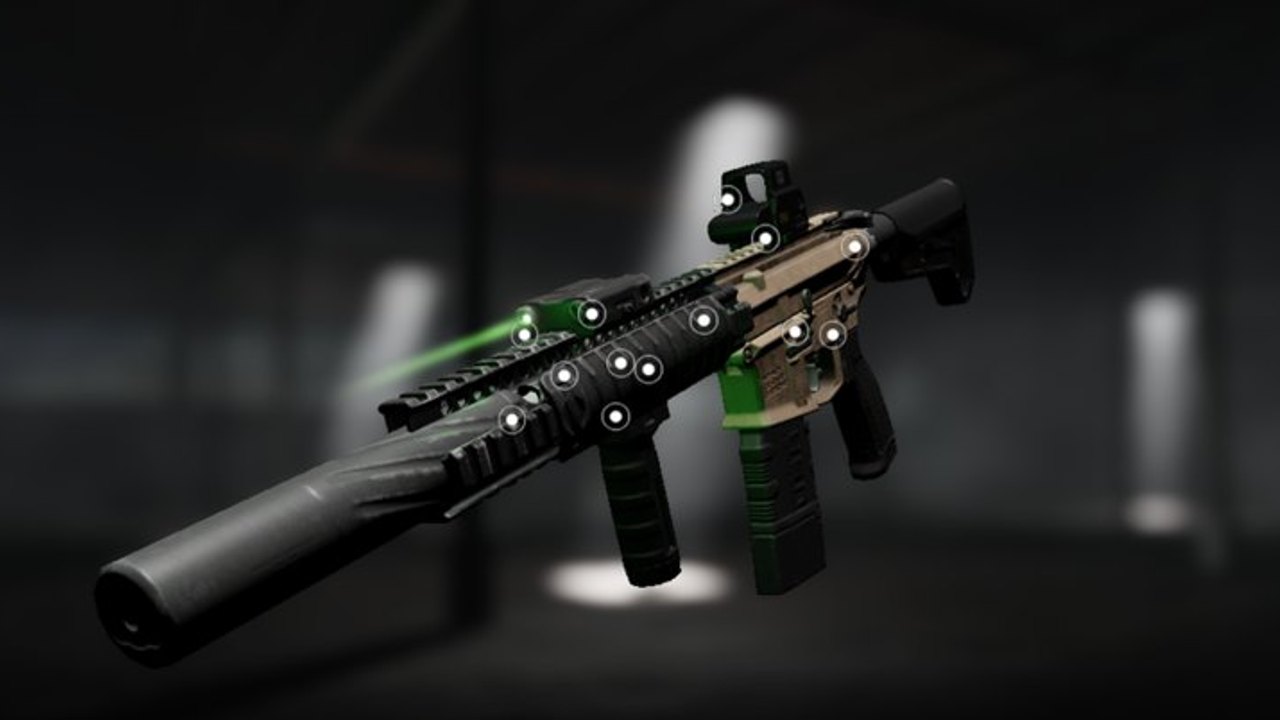
FRONTLINES is a released Roblox tactical shooter by MAXIMILLIAN. Matches are online 7v7 fights with serious gunplay, Credits-based unlocks, and one of the deepest attachment systems on the platform. This Guides Hub is the map of every how-to on the wiki — use it when search lands you on a vague question like “how to play,” “how to get Credits,” or “how to stop lag.”
Start here
If you just pressed Play, open Getting Started first. It covers your first hour: picking a comfortable primary, understanding the loadout screen, and avoiding common mistakes like reloading in the open. Pair it with Controls so PC and mobile inputs feel intentional instead of accidental.
Once movement feels natural, study Maps and Modes. Team Deathmatch, Kill Confirmed, King of the Hill, and Domination ask for different pacing. Knowing when to hold an angle versus when to rotate wins more rounds than copying a random loadout video.
Progression and customization
Unlock pressure is real. Level Up and Credits explains how leveling feeds the shop and which early purchases matter. After you own a gun you like, Attachments walks through receivers, barrels, grips, optics, and magazines — the system that separates FRONTLINES from simpler Roblox shooters.
Meta context lives outside this hub too. Cross-check the weapons tier list and the primary weapons roster before sinking every Credit into a niche build.
Stability and fairness
High fidelity visuals can tank frame rate. The official tip still holds: open Esc settings and drop graphics toward 1–3 when targets blur into the environment. Our FPS Performance guide expands that advice for PC and mobile.
When someone is clearly cheating, use chat: /votekick [player name] [reason]. Read Votekick and Hackers so you call votes with evidence instead of tilting the lobby. For script curiosity, see the scripts hub — and treat ban risk seriously.
Mobile, kits, and gadgets
Phone players should open Mobile Guide before blaming touch controls — HUD limits, haptics, and graphics 1–3 change how you peek Factory corners. Veterans queueing with intent use Best Loadouts for CQB, mid, and lane-hold kits tied to Nightwing, AS VAL, MP5, M4, AWM, and The Fix. Melee and Gadgets explains knife finishes and the two frag grenades you carry each life — essential for Domination hill breaks.
Full guide list
| Guide | Best for |
|---|---|
| Getting Started | First session checklist |
| Controls | PC and mobile inputs |
| Maps and Modes | Objective play |
| Level Up and Credits | Progression planning |
| Attachments | Gunsmith depth |
| FPS Performance | Lag and clarity |
| Votekick and Hackers | Fair servers |
| Mobile Guide | Phone HUD, haptics, positioning |
| Best Loadouts | CQB, mid, and lane kits |
| Melee and Gadgets | Knife and frag grenades |
How these guides connect
Every article cross-links siblings. Controls points to performance; attachments points to tier lists; getting started points to codes (honestly empty today) and tools such as the sensitivity calculator. Use official links when you need Discord patch chatter.
Play fair, learn one map lane at a time, and treat this hub as your bookmark whenever FRONTLINES feels overwhelming.
Frequently Asked Questions
Quick answers for FRONTLINES operators.
Which FRONTLINES guide should I read first?
Start with Getting Started, then Controls before specializing in maps or attachments.
Do guides include videos?
Some pages embed one verified YouTube video in the middle of the article. We never invent video links.
Where do I learn weapon rankings?
Use the weapons tier list together with primary weapons.
How do I fix low FPS in FRONTLINES?
Follow FPS Performance and lower Roblox graphics to roughly levels 1–3.
Is FRONTLINES still updating?
Patches have been slower during long studio downtime. Track notes on the updates hub and Discord.